Skip to product information

Loving life, loving shopping.
100% brand new and high qualit


BQCC 7'' 2 DIN HD Car Media Video RDS Airplay Car Radio Wireless CarPlay Android Auto Stereo for VW/SEAT/Skoda/Passat/Golf/Polo
Sale price
KSh15,819.93
Regular price
KSh17,577.70
SPECIFICATIONS
Brand Name: BQCC
Built-in CD player: No
Built-in DVD Player: No
Built-in Screen: Yes
Certification: CE
Choice: yes
Digital Media Format: Mp3,MP4,WMA,JPEG
Din: Double Din
Display Size: 7"
For Vehicle Brands/Model: Volkswagen
High-concerned chemical: None
Interface: USB
Is touch screen: Yes
OSD Language: Chinese (Simplified),Chinese (Traditional),Arabic,Polish,German,Russian,French,Korean,Dutch,Portuguese,Japanese,Turkish,Hebrew,Greek,Spanish,Italian,English
Origin: Mainland China
Out Power: 60Wx4
Output Type: Colored
ROM: 2 G
Resolution: 1024x600
Special Features: Support steering wheel control,Support Can-Bus,Mobile Phone,MP3 players,CarPlay,android auto,Reversing Input
TF/Micro SD Slot: 2
Voltage: 12 V
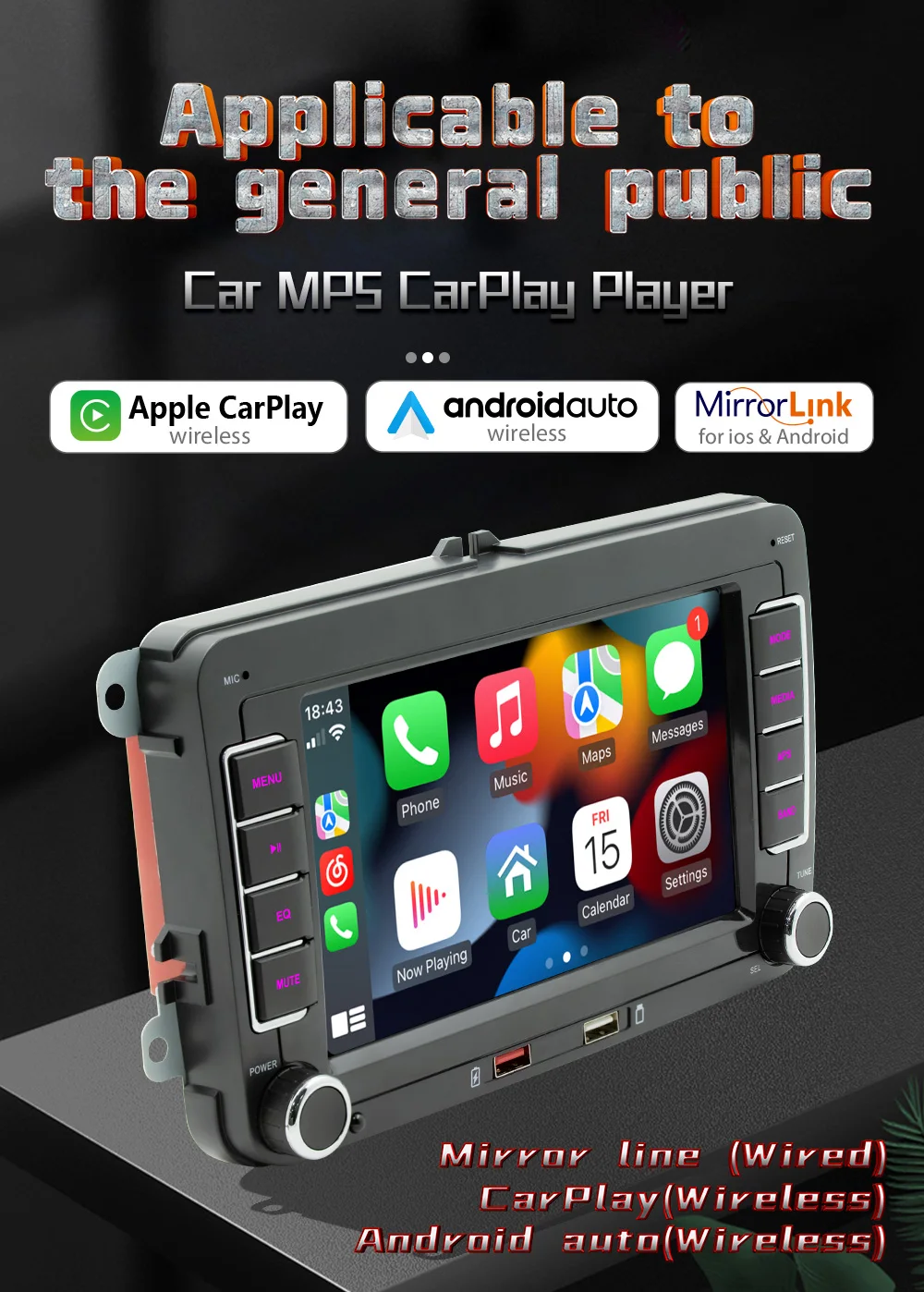
BQCC 7'' 2 DIN HD Car Media Video RDS Airplay Car Radio Wireless CarPlay
Android Auto Stereo for VW/SEAT/Skoda/Passat/Golf/Polo
Welcome to my store ! Have a good shopping time !
Loving life, loving shopping.
100% brand new and high qualit
☆Tips:
1. This product is a special radio. Please check whether the panel shape and size of your original car radio are applicable before purchase.
2.It is recommended that you look for professionals to help install, so as to avoid improper installation operation caused by your car damage
3.Note: If the car radio you purchased supports 4G network, please refer to the configuration details table for network standards and frequency bands. Some countries or operators that are not in these frequency bands, you cannot access the Internet with a SIM card inserted.
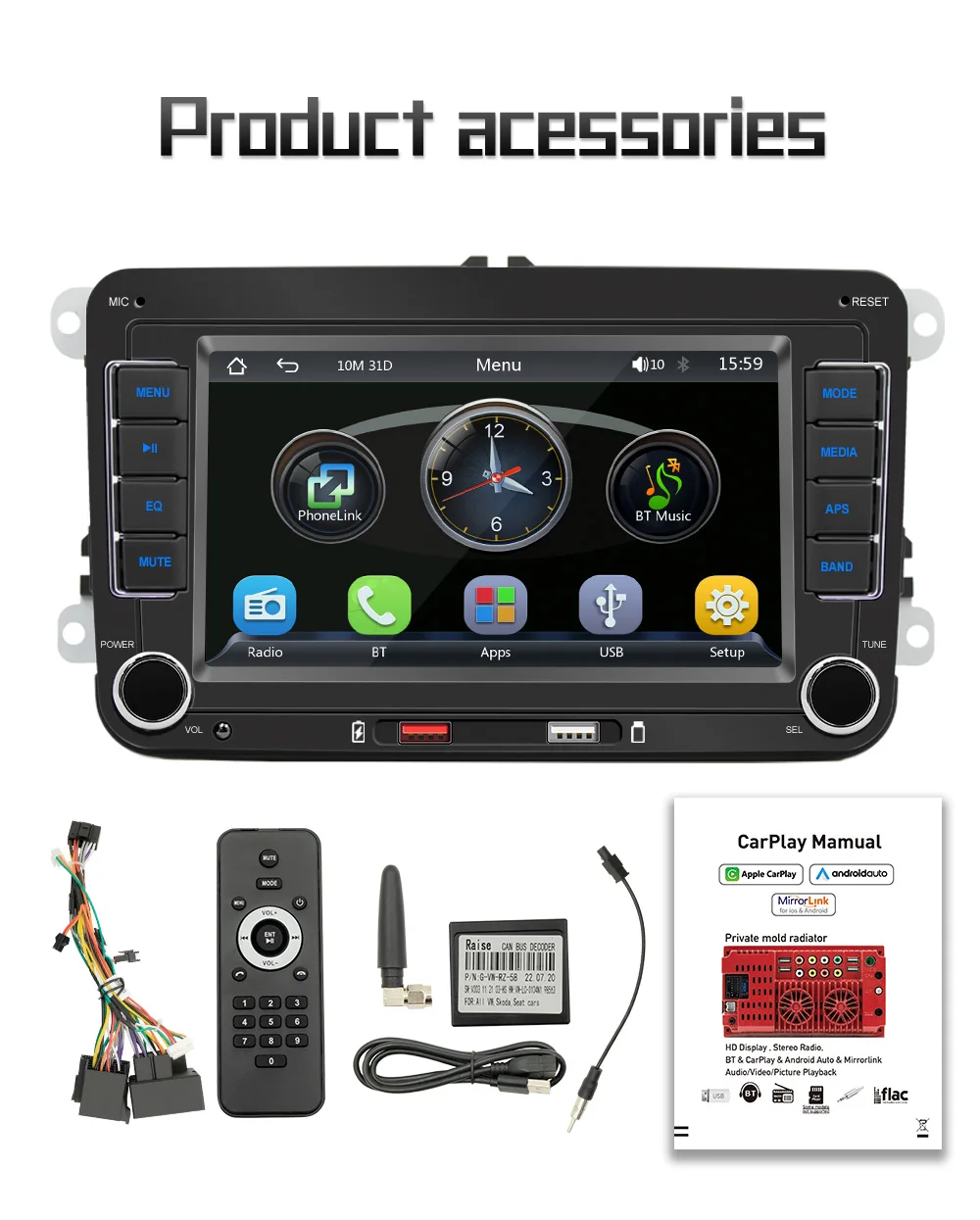
 • Double Din :The product has a double din size, which means it can accommodate two displays at once.
• Reversing Input :The product has a reversing input feature, which allows you to play media from your phone or other devices even when the car is not in motion.
• Support Steering Wheel Control :The product supports steering wheel control, which means you can easily control the media player without taking your hands off the wheel.
• JPEG digital media format: The product supports JPEG digital media format, which means you can easily play photos and videos from your phone or other devices.
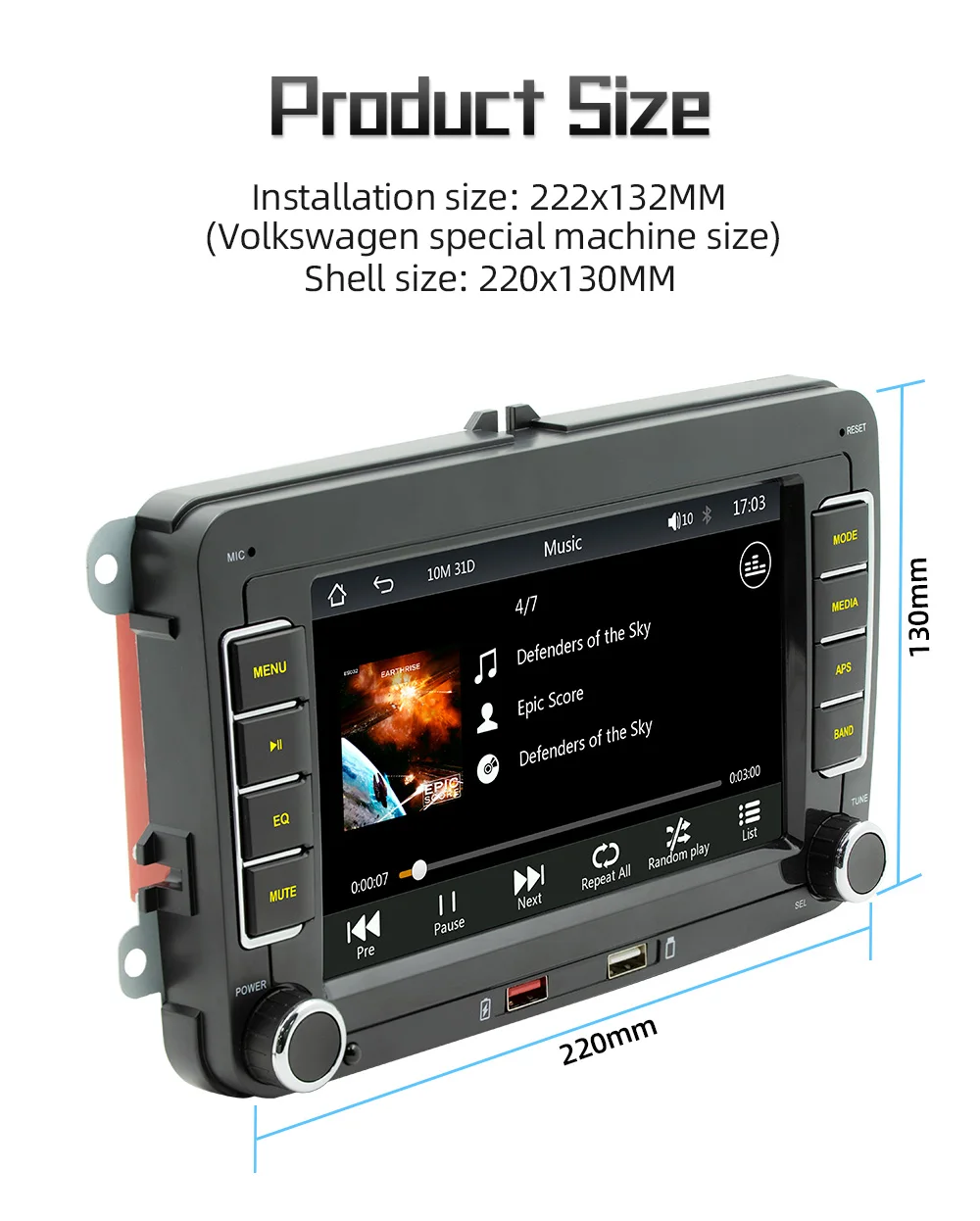
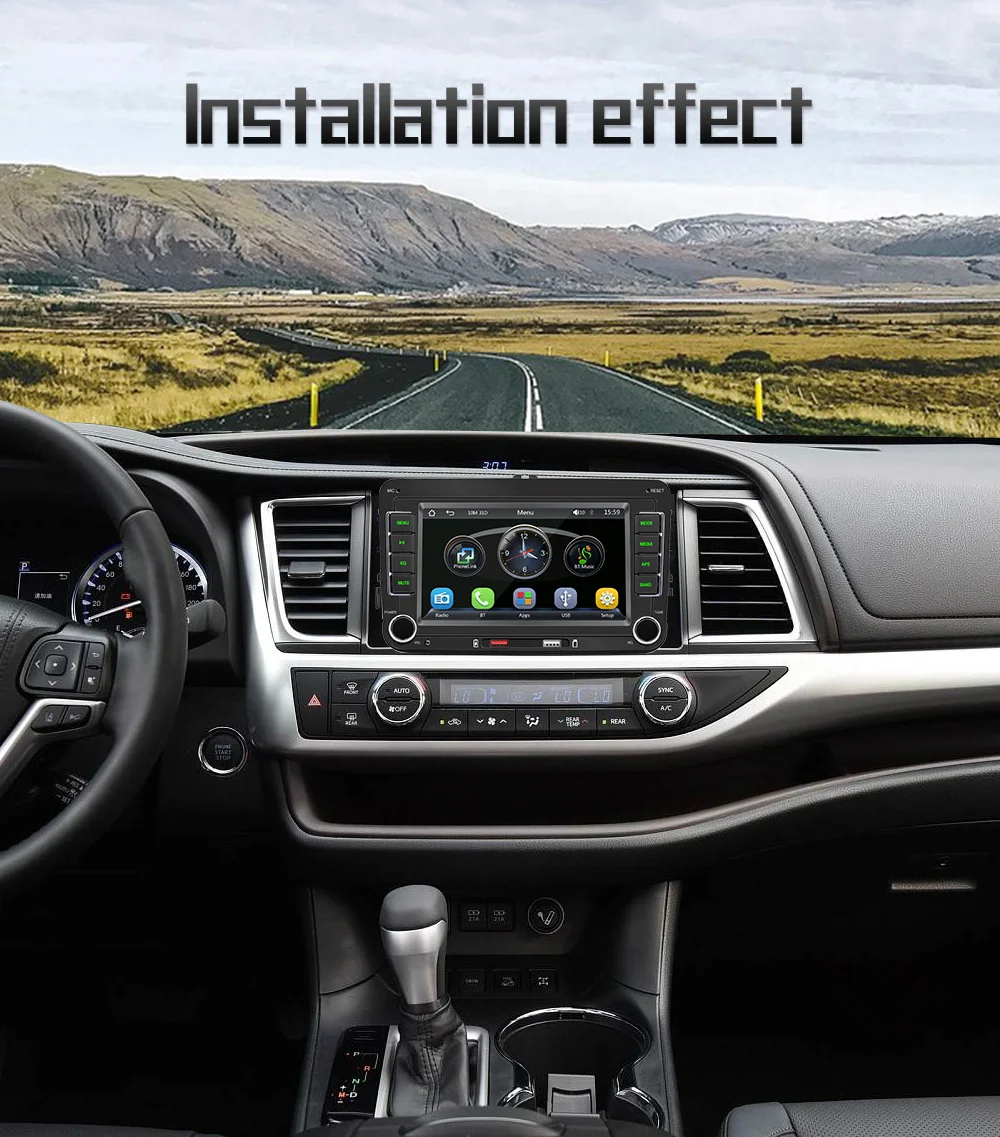
F9070 is a special car player of 2DIN Volkswagen series, which is suitable for most Volkswagen models. The following is our approximate statistical model, and the data is for reference only. Please refer to the following picture description and product size before purchase to see whether it is suitable for your car
For VW
Amarok(2010-2013)
Caddy(2003-2013)
Golf V(2003-2008)
Golf VI(2008-2013)
Golf Plus(2003-2013)
Golf Cabriolet(2011-2013)
Golf Wagon(2010-2013)
Golf GTI (2010-2012)
Golf R (2010-2013)
Golf Estate(2009-2012)
Passat(2005-2013)
Passat Estate(2005-2013)
Passat cC(2008-2013)
Jetta(2005,2007-2013)
Jetta GLI(2006-2013)
Touran(2003-2013)
Tiguan(2007-2013)
Sharan(2010-2013)
Scirocco(2008-2013)
EOS(2006-2013)
WT5 Transporter (2010-2014)
Polo(2009-2013)
Polo Sedan(2012-2013)
Polo V 6R(2009-2013)
New Beetle 2(2011-2013)
Rabbit(2007-2013)
T5 Transporter(2010-2013)
WT5 Caravelle 2010 Multivan T5(2010-2013)
Beetle(2011-2013)
For Skoda
Octavia Limousine(2004-2006)
Octavia(2009-2012)
Roomster(2006-2010)
Fabia Limousine(2004-2008)
Octavia Il lll (to 2010)
Yeti(2009-2015)
Patrick(2004-2008)
Octavia Combi(2004-2006)
Superb(2008-2013)
Fabia(2011-2013)
For Seat
Altea(2004,2005,2007-2012)
Altea XL(2007-2013)
Leon(2006-2013)
Toledo(2004-2015)
Alhambra(2010-2016)

Mirrorlina
Mobile phone screen mirroring connection compatible with Android and iPhone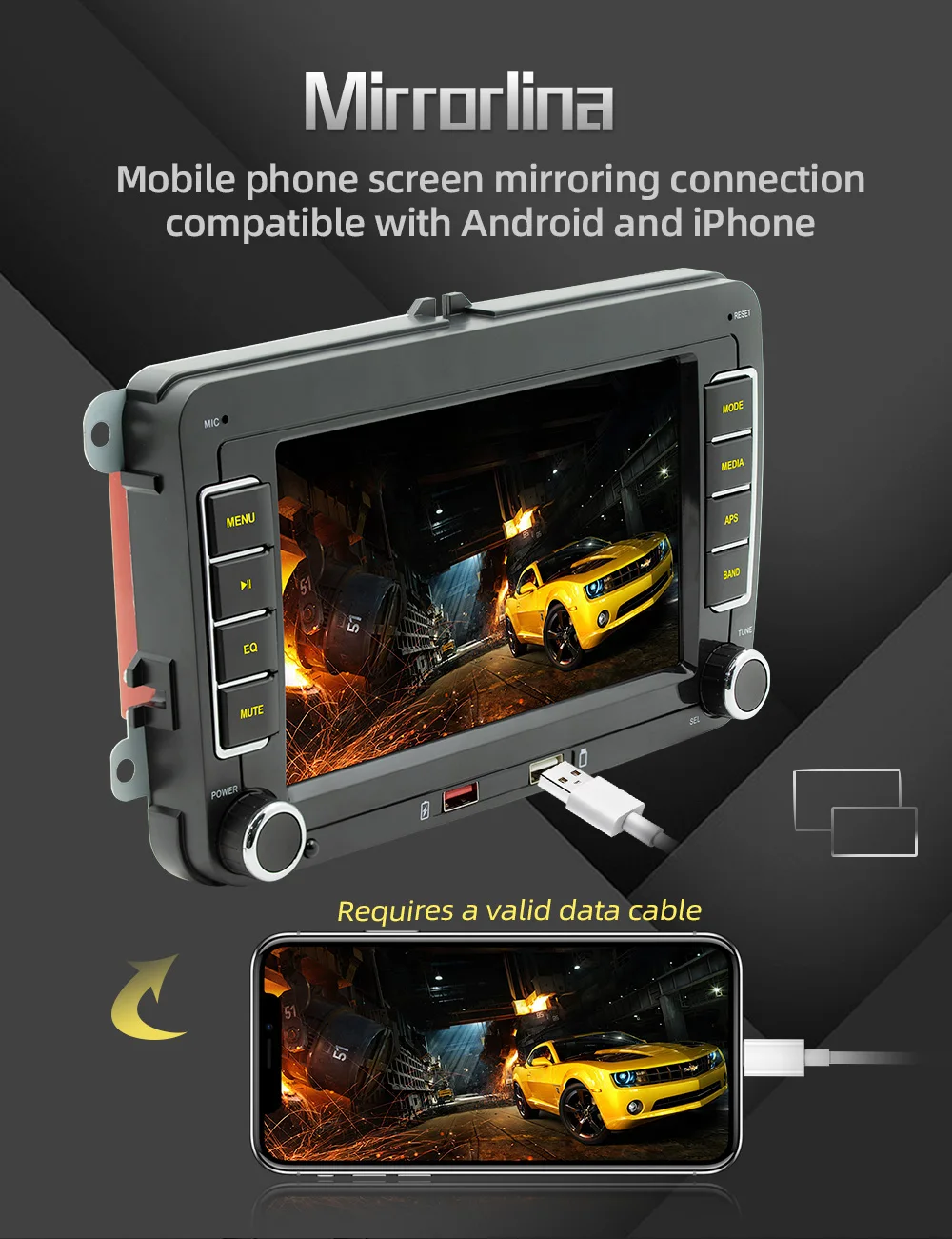
Carplay
CarPlay allows you to intelligently and safely use iPhone features while driving. You can open navigation, make calls, send and receive messages and listen to your favorite songs.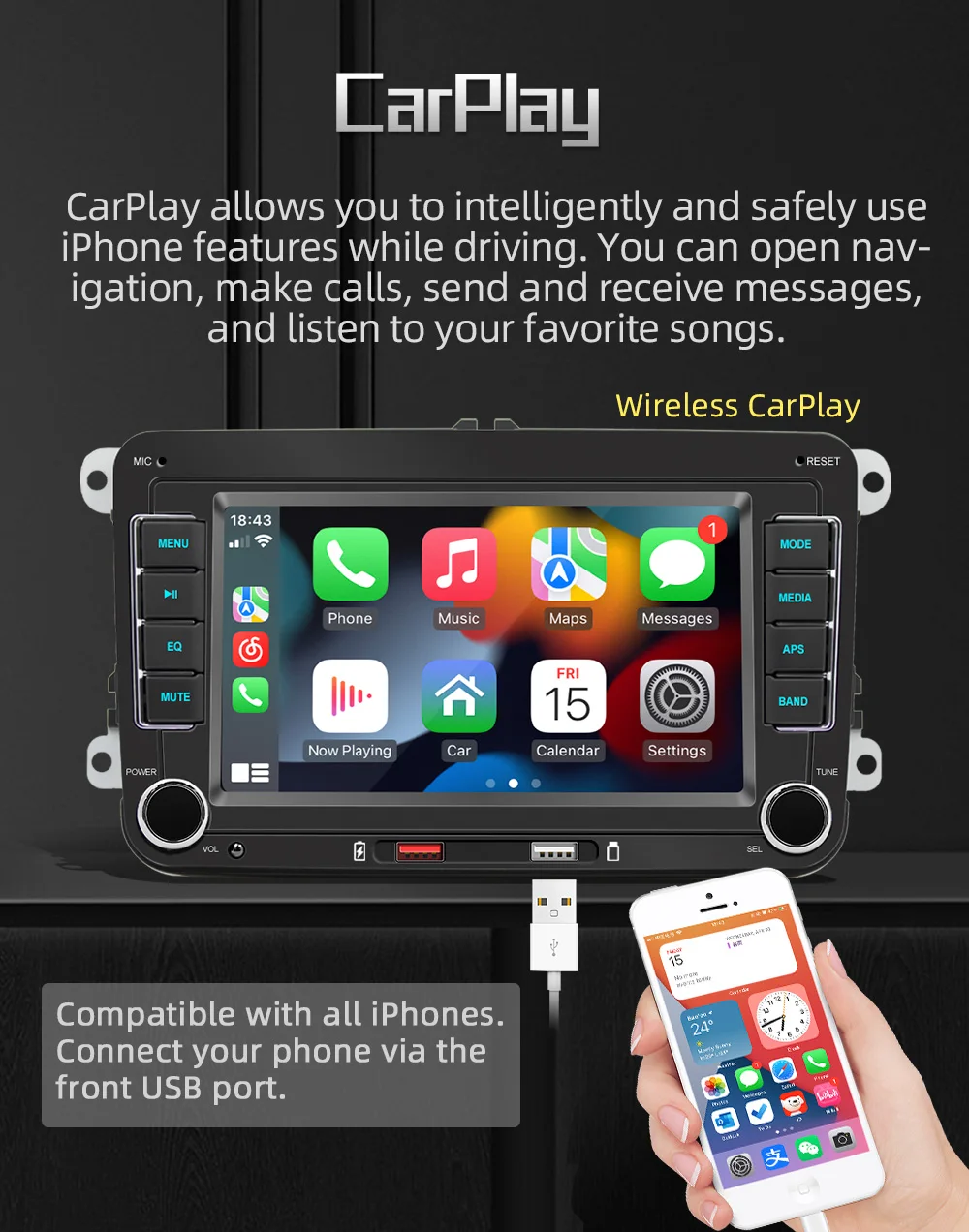
Android Auto
Connect your Android phone to the car screen, and the screen will display your Android application immediately. You can tap the screen to get driving directions, send text messages by voice or even make phone calls hands-free.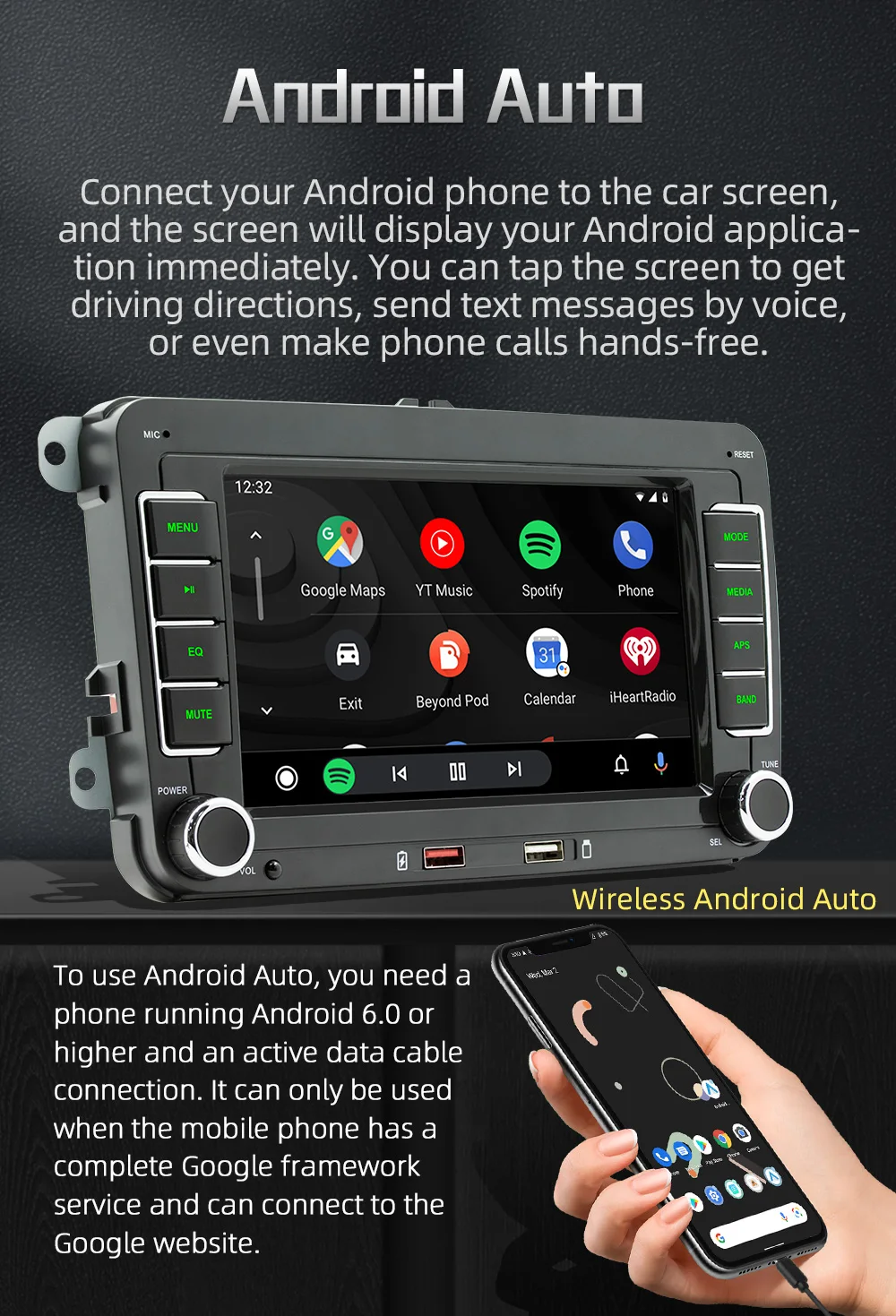
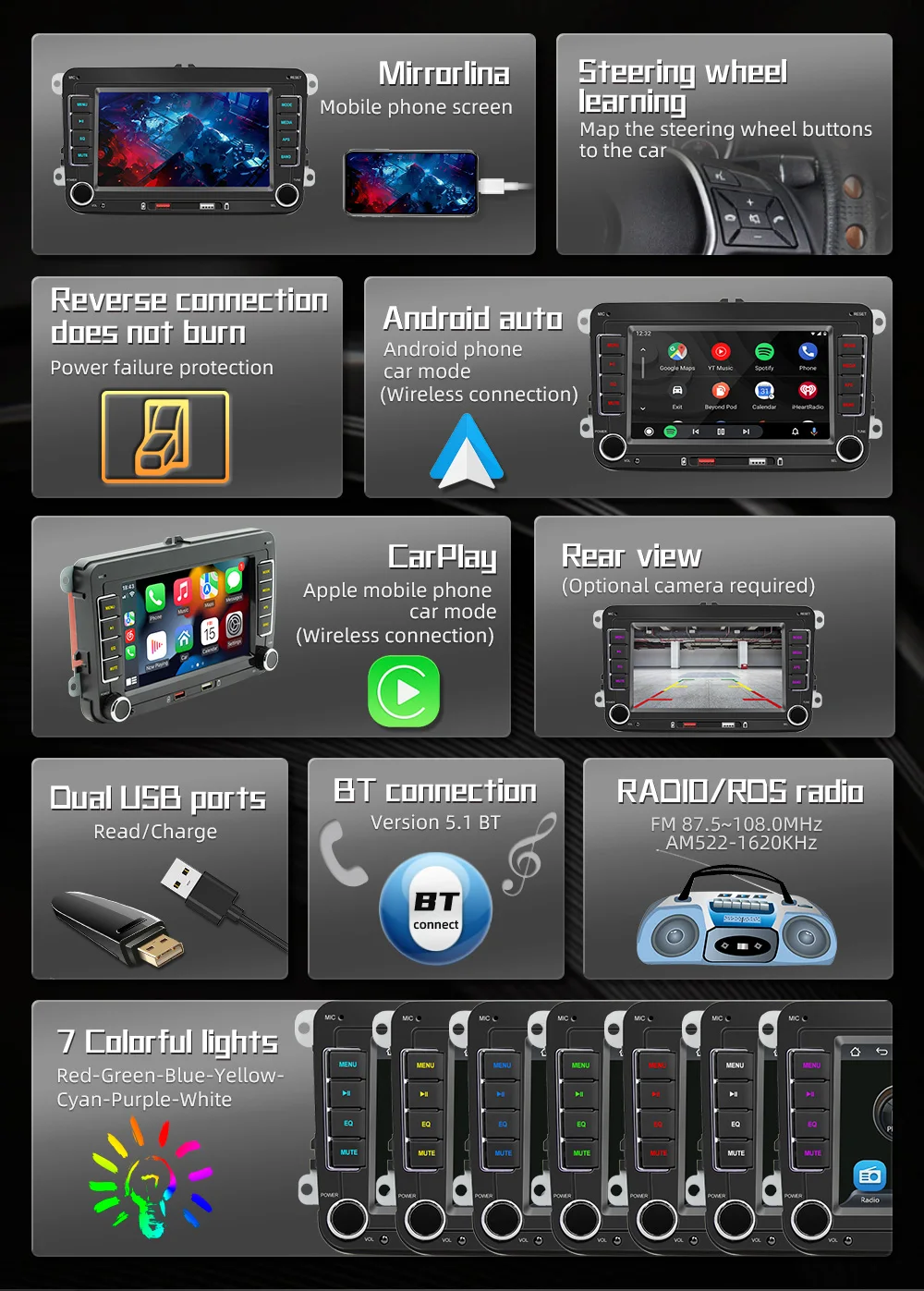
Reverse connection does not burn Reverse connection will automatically power off protection, will not burn the machine.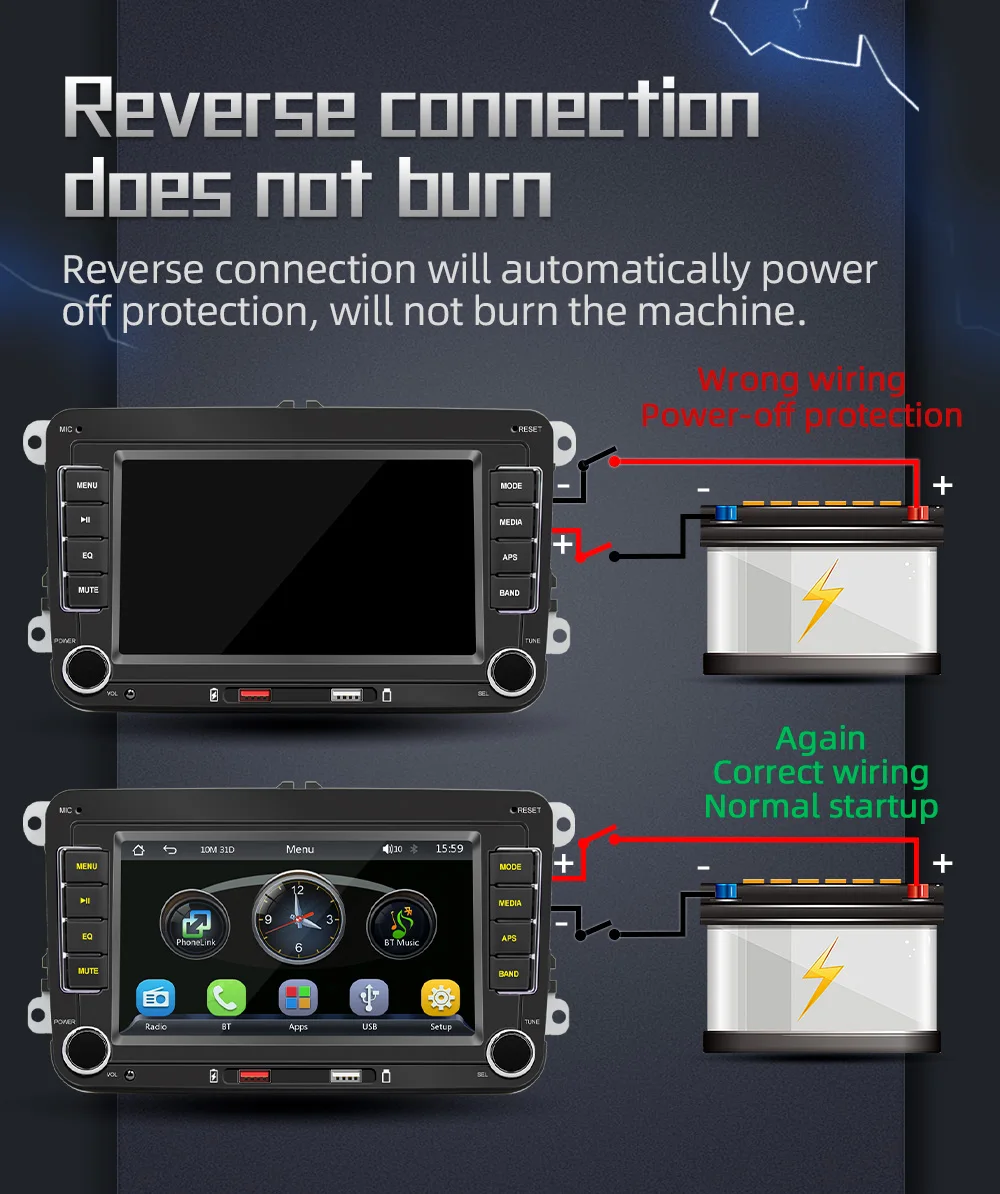
7 color button liohting
Cycle through seven colors or select a color red-green-blue-yellow-cyan-purple-white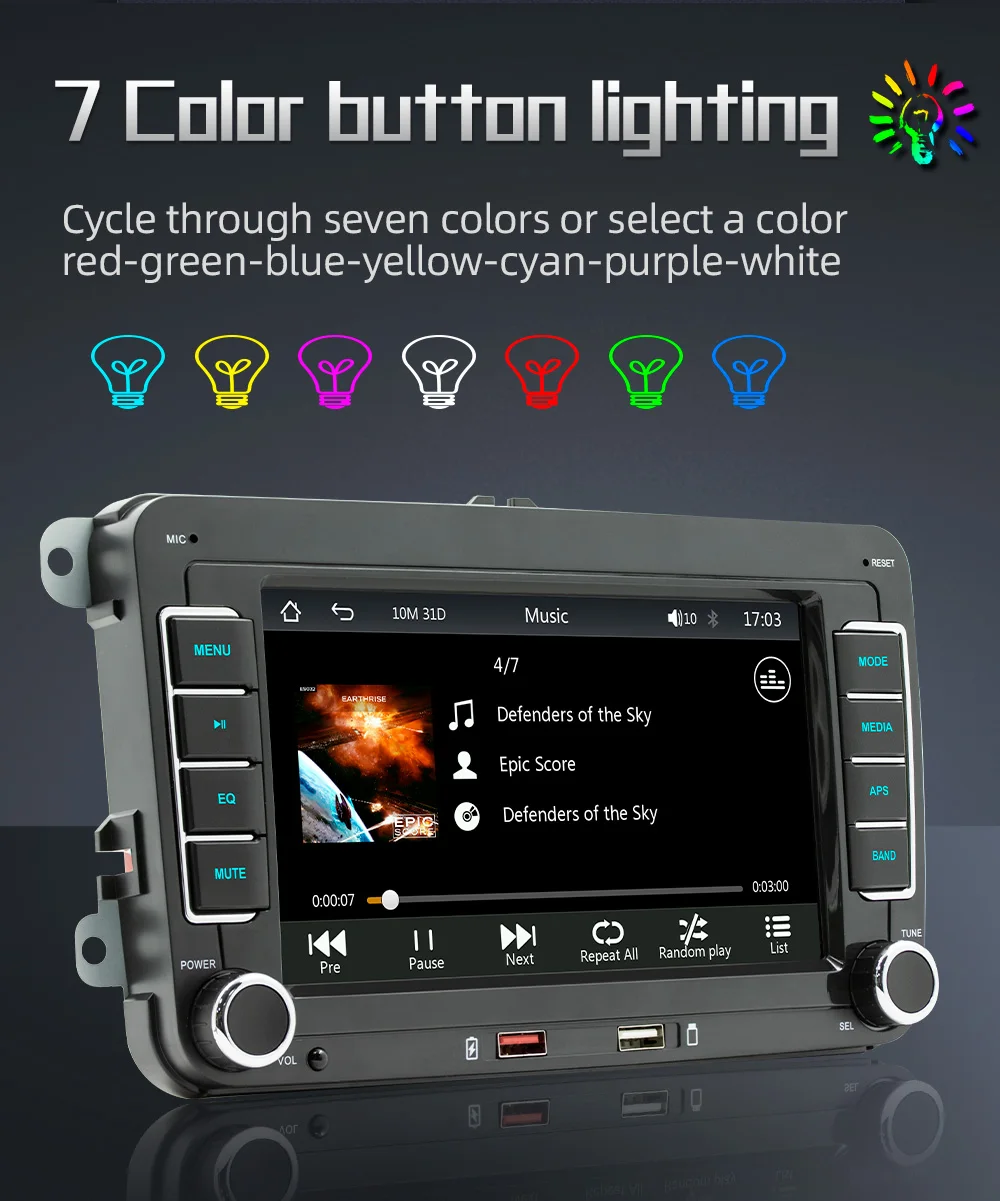
Reverse imae
Automatically switch the full-screen reversing image after the vehicle is in reverse gear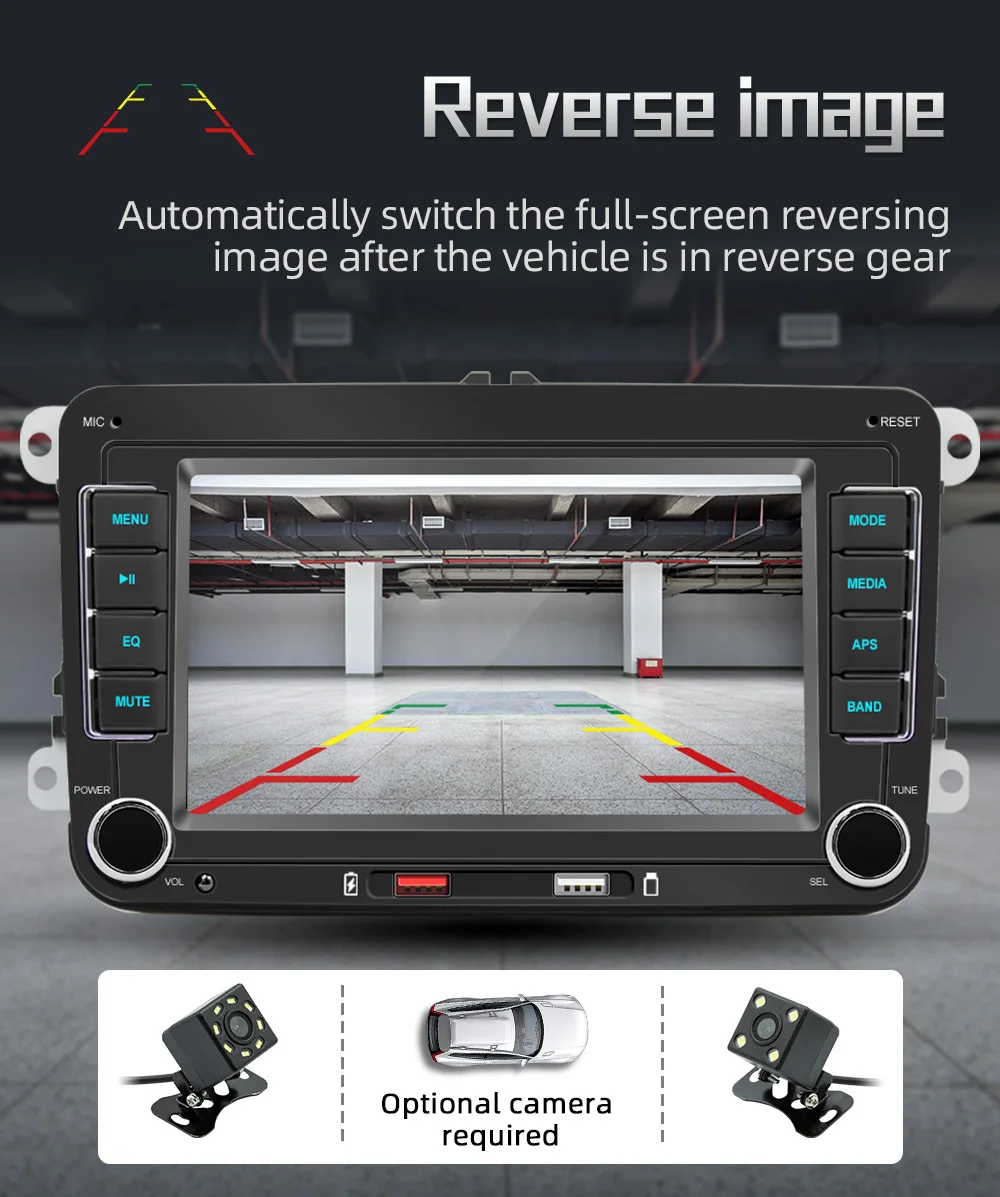
Steering wheel learning
By learning to map the steering wheel buttons to the car, you can control the player without taking your hands off the steering whee!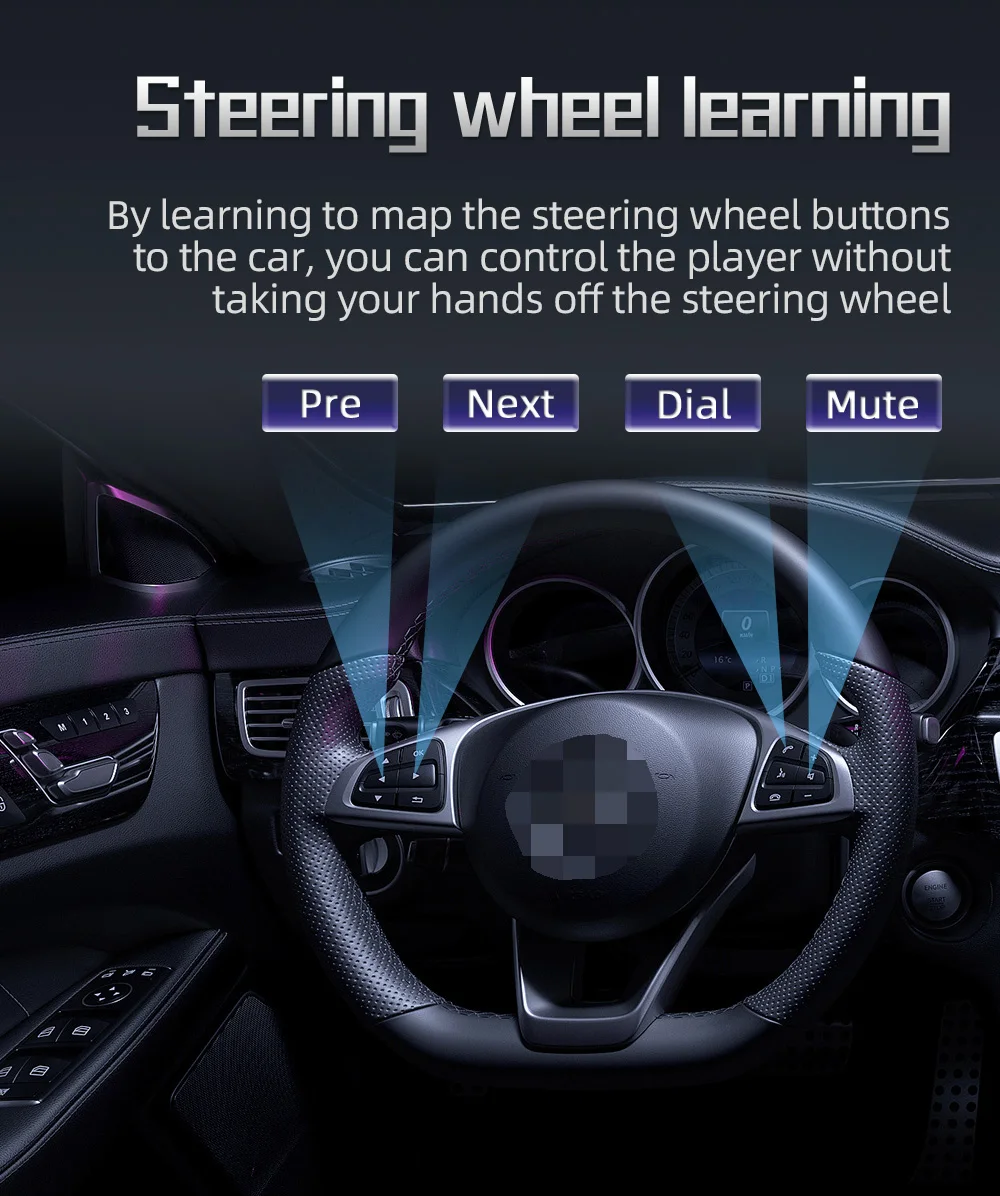
HO video playback
7-inch high-definition screen, better visual experience Supported formats:H263/H264/H265/DIVX HD/AVI/FLV/M-KV/MPEG/MP4/WMV9/VC/ASF/TS/OT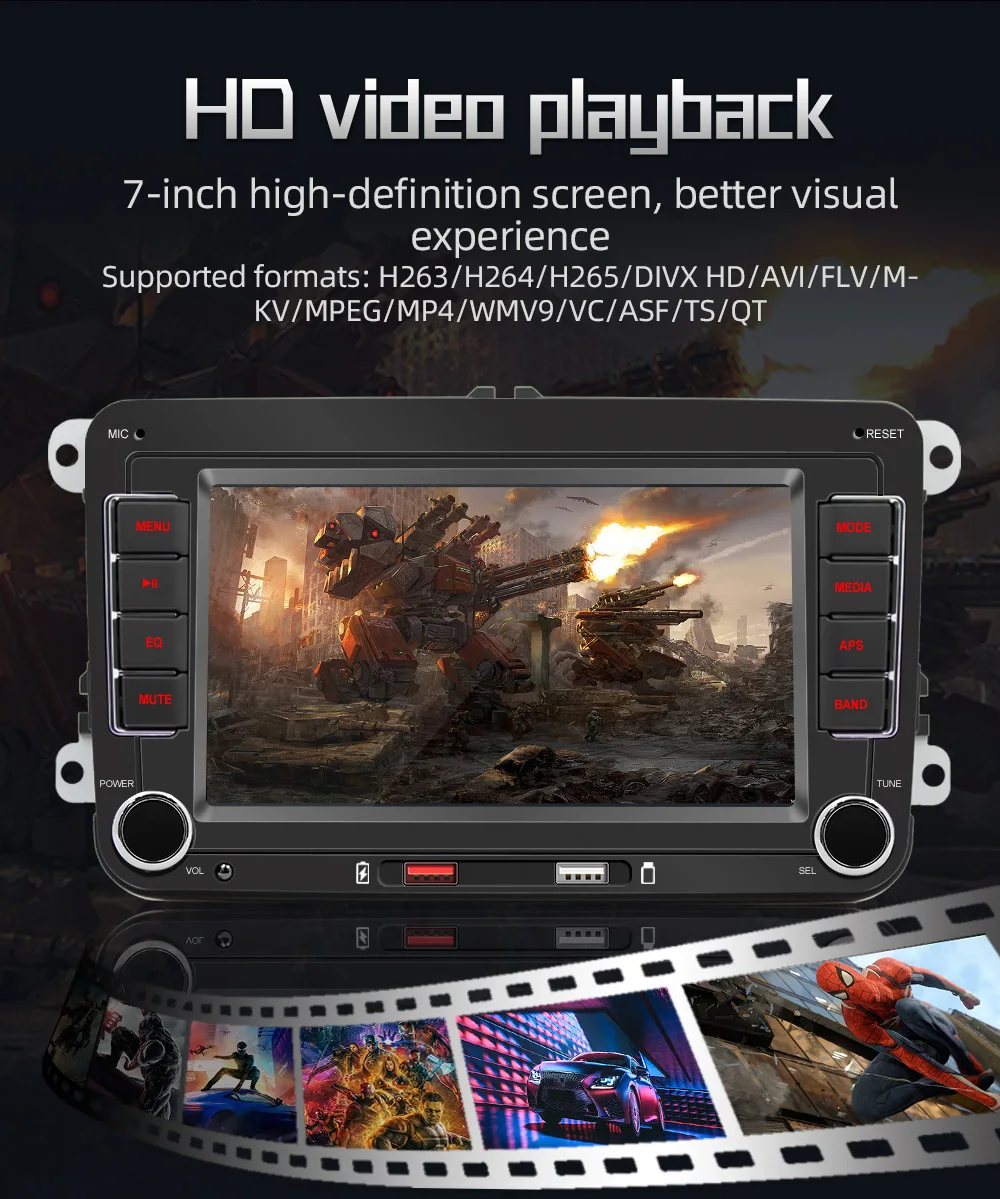
6T connecto0
Version 5.1 BT, more stable signal and lower power consumption
Oual USB ports
Reading disk does not delay charging, sup. ports 5V 2.1A current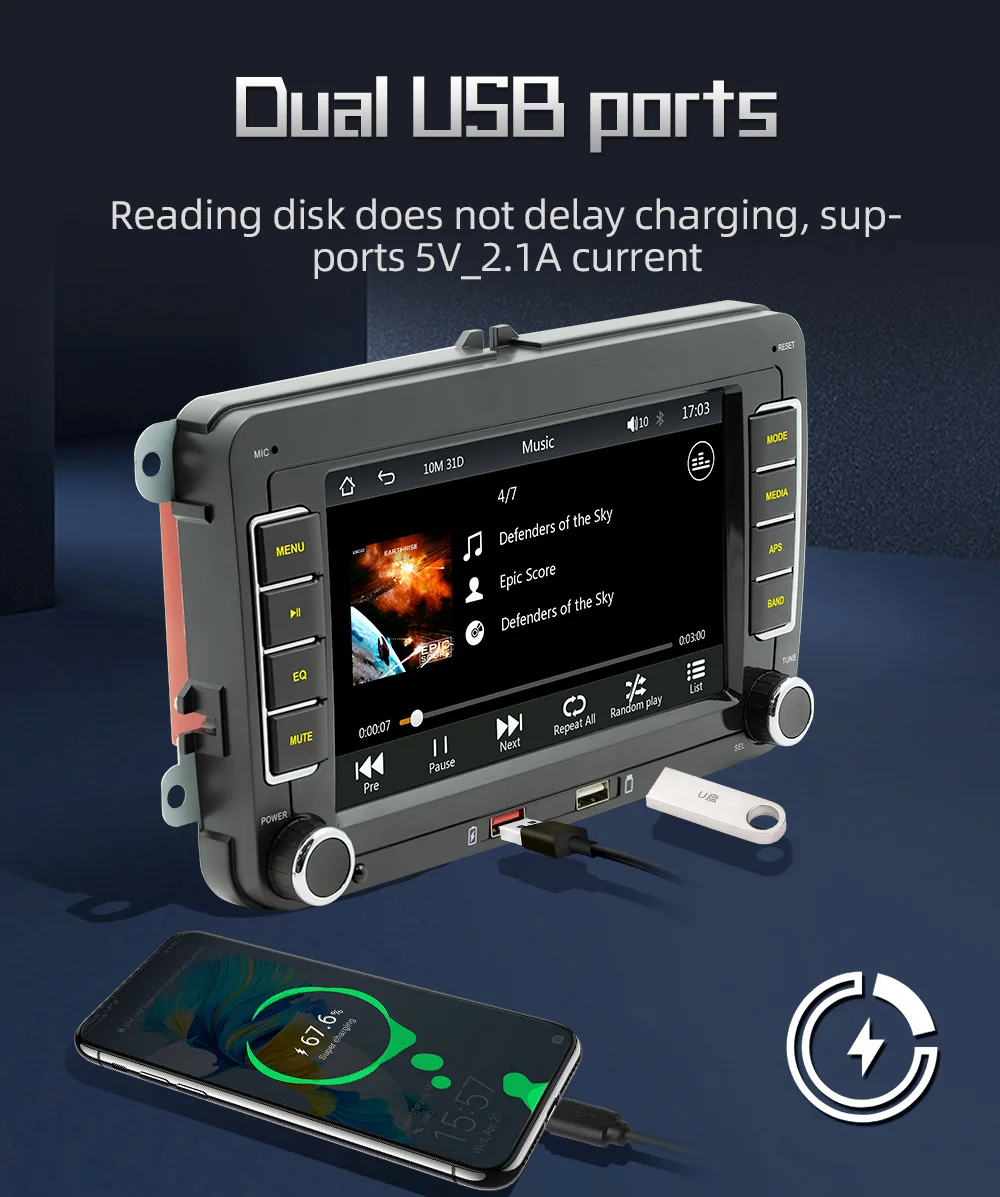
RAOI0/ROS radio
FM 87.5~108.0MHZ AM522-1620KHZRDS:AF/TA/PTY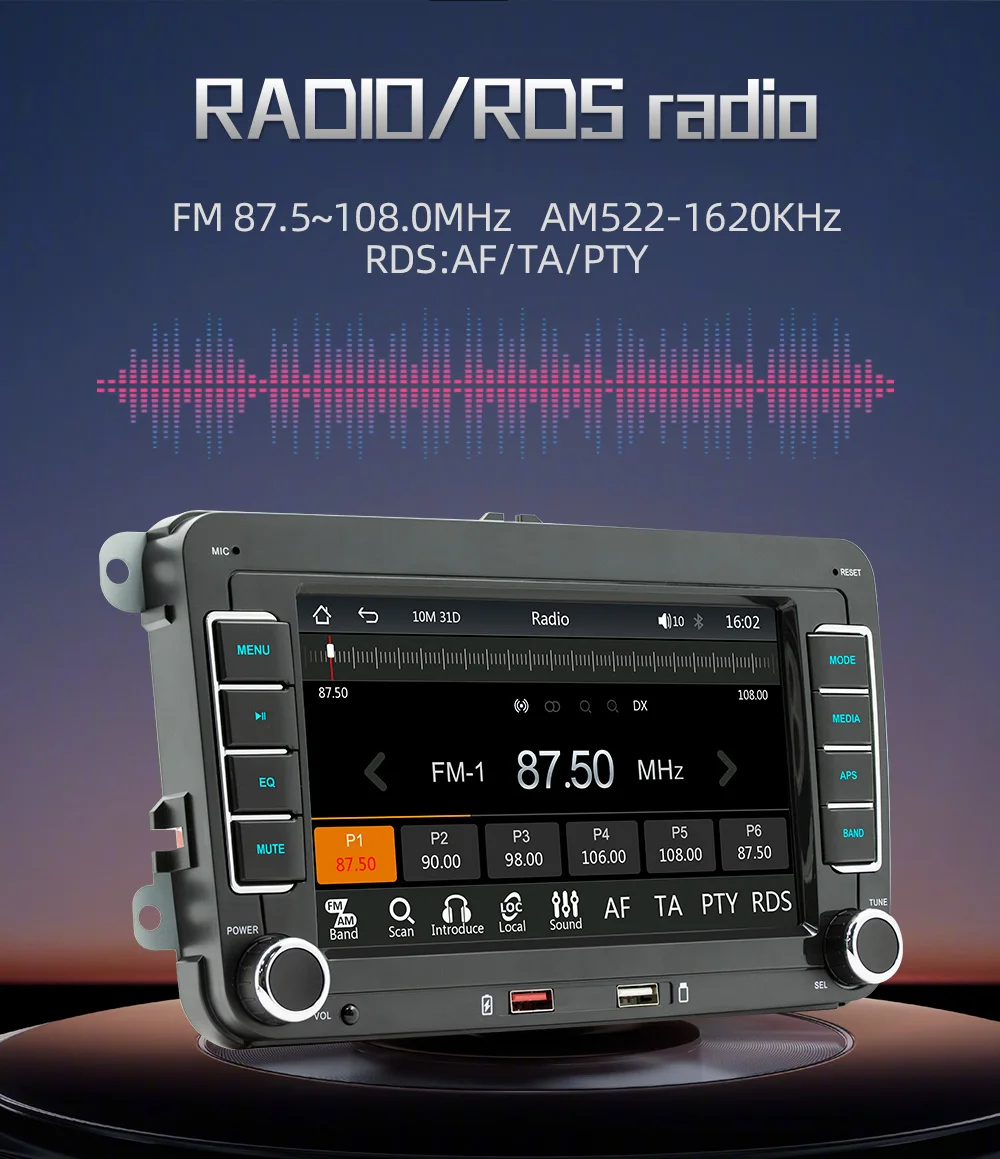
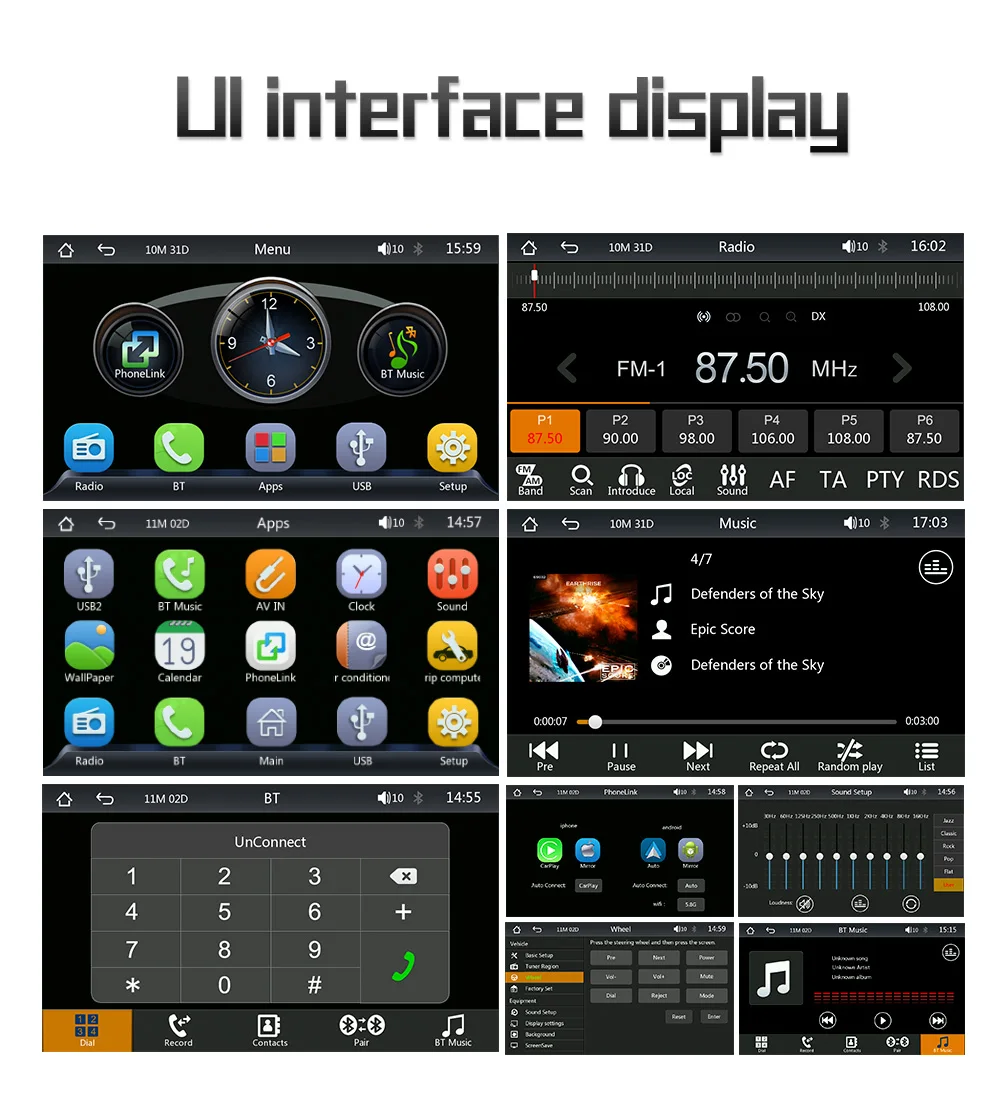
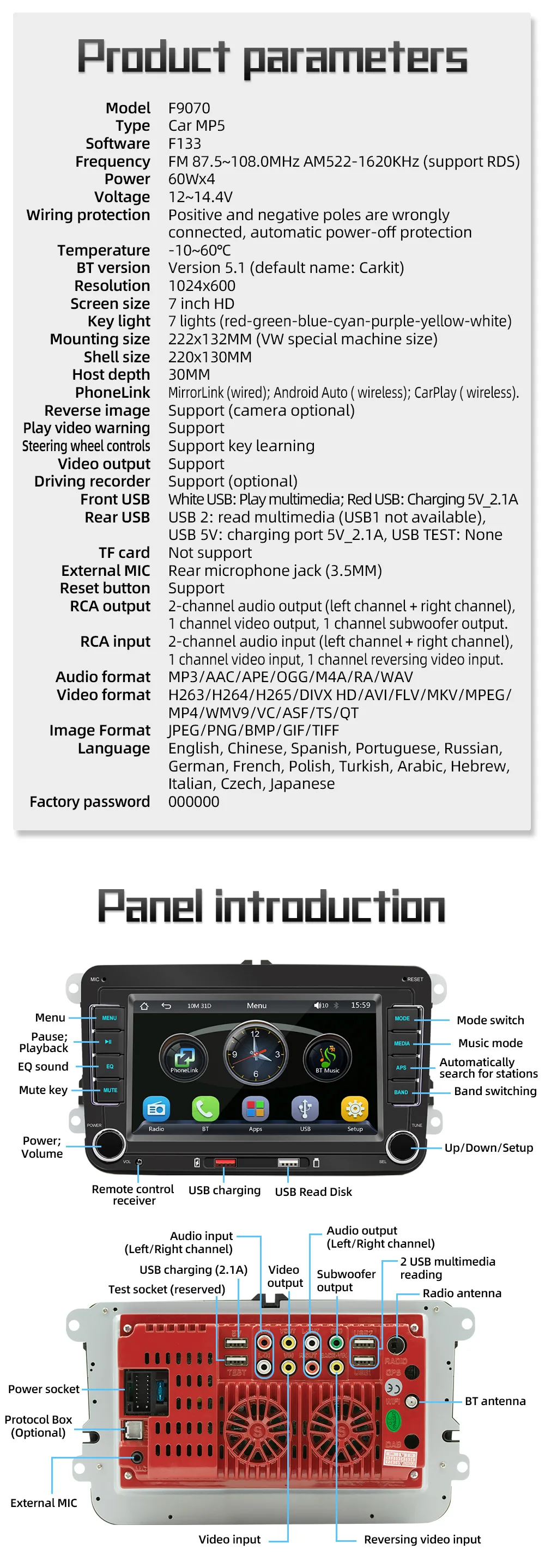





Q&A:
Q1:How do I connect carplay and Android Auto?
A: Search for the Bluetooth device ''carplay'' on your mobile phone. When you connect it for the first time, the mobile phone will pop up a prompt, please click to use or trust the device.
Q2.:How do I connect a mirror link?
A: Before the phone is connected, click on phone Link function of the device, change the automatic connection option under the corresponding phone type to mirror, then connect the phone data cable, and click the corresponding authorization on the phone end to connect.
Q3:How do you get the sound through the car horn?
A: There are three points about the sound problem:
1. Our device comes with a small speaker that can make sound, you can turn it off by setting;
2. Transmit the sound to the original car radio through the FM transmission function of the device (for example, select 86.3MHZ on the device, and then play the U disk music, then search 86.3MHZ on the car radio);
3. Use the 3.5mmAUX cable to transmit the audio to the original carplay through the AUX OUT interface of the machine (some models do not support this function, please see the interface description of the product for details).
Q4:The Bluetooth connection fails, or some functions are abnormal after connection?
A: Please use your mobile phone to search for Bluetooth of the machine, and the name is ''carplay''; Delete the devices that have been paired with but are not connected to the phone. Some Bluetooth devices that have been paired with each other may cause the phone's Bluetooth cannot be paired with other devices or its function is abnormal.
Q5:Will Bluetooth connection not automatically connect to car paly or Android auto?
A: Some connected Bluetooth devices will cause our device to fail to jump automatically. Please clear all paired Bluetooth devices on the mobile phone, restart the Bluetooth of the mobile phone and the vehicle device, and re-establish the Bluetooth connection.
Q6: Playing music and talking on the phone too quietly?
A: Hold down the top of the screen with your finger and slide down. You can adjust the playing volume after pulling down the status bar; When you return to the home screen during a call, you can adjust the call volume in the status bar.
Q7: Can't read or play SD, USB music and videos?
A: Please use 16G or 32G storage card or USB flash drive. Some large-capacity storage devices may not support it. Format the storage device to ensure that the storage device's file system is the default value; Partially encoded video or music may not be recognized by the machine, please use common format media files.
Q4:The Bluetooth connection fails, or some functions are abnormal after connection?
A: Please use your mobile phone to search for Bluetooth of the machine, and the name is ''carplay''; Delete the devices that have been paired with but are not connected to the phone. Some Bluetooth devices that have been paired with each other may cause the phone's Bluetooth cannot be paired with other devices or its function is abnormal.
Q5:Will Bluetooth connection not automatically connect to car paly or Android auto?
A: Some connected Bluetooth devices will cause our device to fail to jump automatically. Please clear all paired Bluetooth devices on the mobile phone, restart the Bluetooth of the mobile phone and the vehicle device, and re-establish the Bluetooth connection.
Q6: Playing music and talking on the phone too quietly?
A: Hold down the top of the screen with your finger and slide down. You can adjust the playing volume after pulling down the status bar; When you return to the home screen during a call, you can adjust the call volume in the status bar.
Q7: Can't read or play SD, USB music and videos?
A: Please use 16G or 32G storage card or USB flash drive. Some large-capacity storage devices may not support it. Format the storage device to ensure that the storage device's file system is the default value; Partially encoded video or music may not be recognized by the machine, please use common format media files.